What Actually Matters
✅ TL;DR
– OData pages deprecated (v30)
– SOAP removed (v29)
– Move to API Pages
– Impacts Power BI + integrations
Microsoft has released Dynamics 365 Business Central v28 — (2026 Release Wave 1), rolling out from April 2026.
Before looking at features, one clarification:
Release Model (Think Months, Not “Spring/Autumn”)
Business Central releases twice a year:
- April → v28
- October → v29
You may hear:
- “Spring release” (Northern Hemisphere)
- “Autumn release” (APAC)
👉 This is confusing globally.
👉 Think in months, not seasons.
Each wave includes:
- major version (28.0)
- incremental updates (28.1, 28.2…)
AI Improvements (Short Version)
v28 continues the push toward:
- AI-assisted workflows
- agent-based automation
- better orchestration across systems
This is not a “feature release” — it’s a platform shift toward AI + automation.
If you’re exploring this space (especially MCP-style patterns and agent orchestration), I’ve covered that separately here:
👉 https://abcdrive.blog/2026/01/29/what-mcp-unlocks-when-connected-to-business-central/
Stop Using Web Services Pages (OData/SOAP)
This is the real story in v28 — not a feature, but a deadline.
If you’re still using:
Web Services page → OData / SOAP
You need to start moving away now.
What’s Being Removed
From Microsoft’s deprecation roadmap:
- v29 (Oct 2026)
→ SOAP endpoints removed - v30 (2027)
→ OData exposure of pages removed
👉 Official Microsoft reference:
https://learn.microsoft.com/en-us/dynamics365/business-central/dev-itpro/upgrade/deprecated-features-platform#changes-in-2027-release-wave-1-version-300
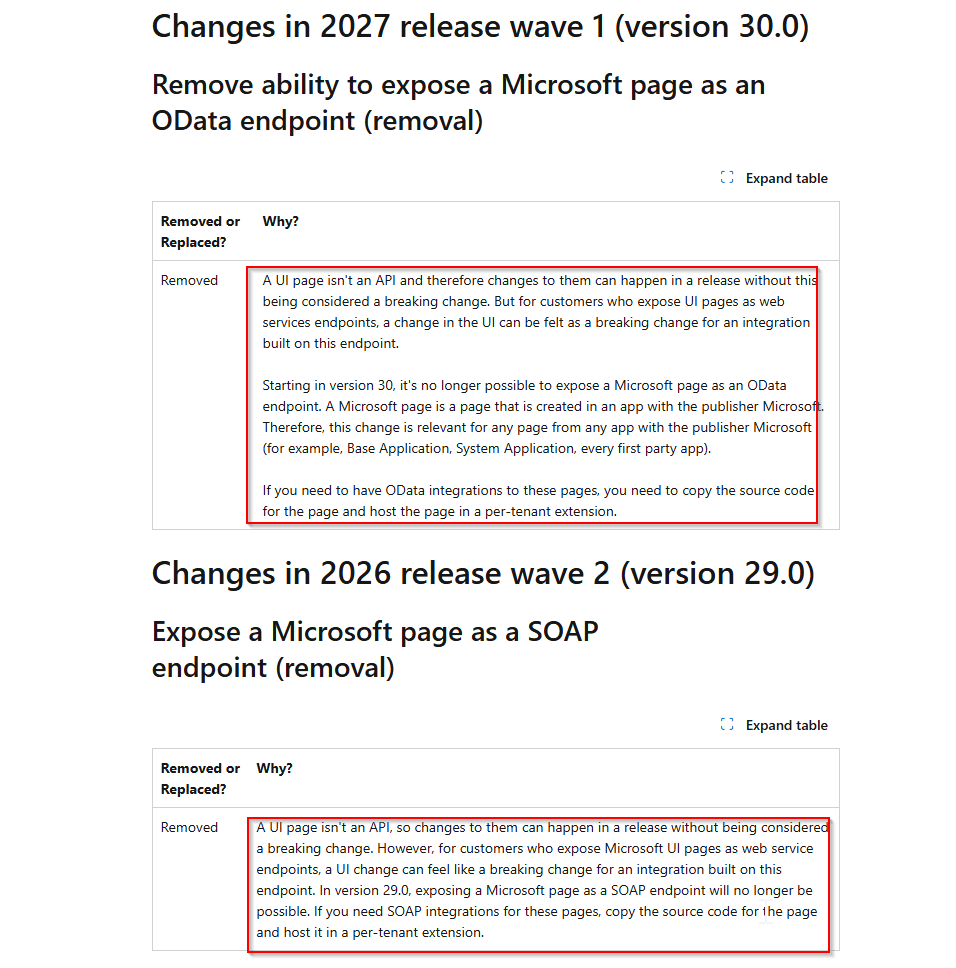
- SOAP removal (v29)
- OData removal (v30)
Why This Matters
Old pattern:
UI Page → Web Service → OData/SOAP
Problem:
- tied to UI
- no contract stability
- breaks across upgrades
Microsoft explicitly states:
A UI page isn’t an API
Required Shift
Move to:
API Pages + API Queries
This gives:
- stable contracts
- versioning
- integration-safe endpoints
This Also Impacts Power BI / Fabric / Integrations
This is not just integrations.
It directly impacts:
- Power BI
- Fabric pipelines
- reporting models
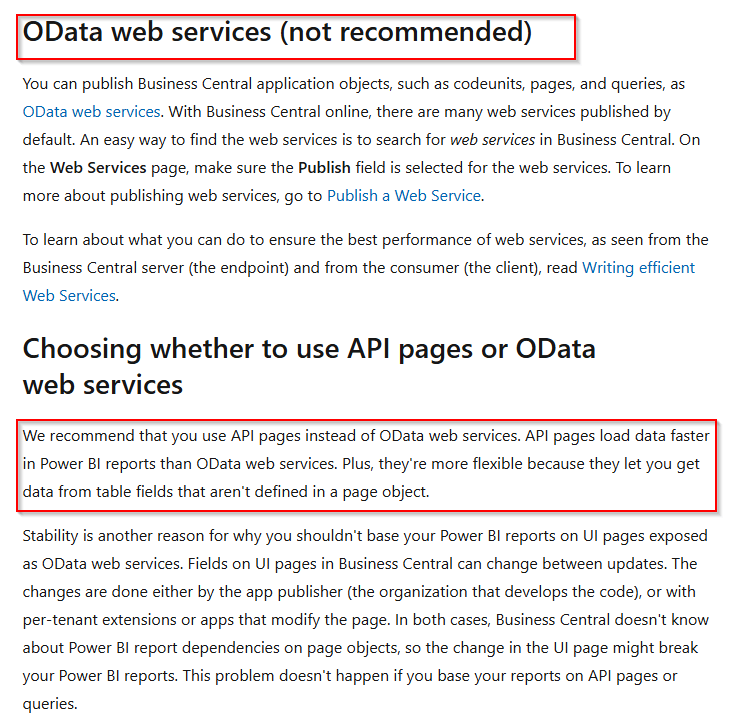
- “OData web services (not recommended)”
- recommendation to use API pages
Microsoft Guidance
Microsoft recommends:
Use API pages instead of OData web services
Existing Reports — What To Do?
If your reports or integrations were built in-house:
✅ Action Plan
1. Audit all OData/SOAP Web Services and Unsupported APIs (We can detect exactly which are being used using Telemetry)
2. Identify Power BI dependencies
3. Replace with API pages
4. Refactor reports if needed
👉 They are still valid
👉 But the data layer must change
✅ Option 1 (Best/Most likely)
Use:
- standard APIs (where possible)
- custom API pages where standard API’s can’t cover requirements
✅ Option 2 (Fastest)
Replace feed (where possible):
OData → API
Keep the model, change the source and make transformations before data renders in your report
✅ Option 3
Review:
- Power BI model
- standard APIs and determine if custom logic is still needed
- out of the box PowerBI reports
Architecture Shift
Old:
ERP → UI Page → OData → reports / integrations
New:
ERP → API Layer → reports / Fabric / integrations
Final Take
v28 is not about features.
It’s about direction.
Business Central is becoming API-first and AI-driven
Closing
If your integrations or reporting still depend on:
Web Services pages + OData
You are building on something that is being removed.


Leave a comment